
What is Thunderbolt 4: Key Features, Advantages and Disadvantages
Advertisement
Thunderbolt 4 is a high speed hardware interface that supports data transfer, video output, power delivery, and peripheral connectivity through a USB-C connector. Its advantages include high bandwidth, universal compatibility, and enhanced security features, whereas its disadvantages include higher device cost, cable requirements, and limited benefits for basic computing needs.
Introduction: The Thunderbolt interface has revolutionized how we connect laptops and desktops to high performance storage, displays, and multimedia devices, all through a single cable. It leverages both PCIe and DisplayPort protocols and supports power delivery over the cable. It also allows daisy chaining up to 6 devices. Different generations of Thunderbolt exist, including Thunderbolt 1, 2, 3, and the latest, Thunderbolt 4, each with varying speeds and features.
Key Features of Thunderbolt 4
Thunderbolt 4 is backward compatible with previous versions, delivering a robust 40 Gbps speed for transferring video, data, and power over a single cable.
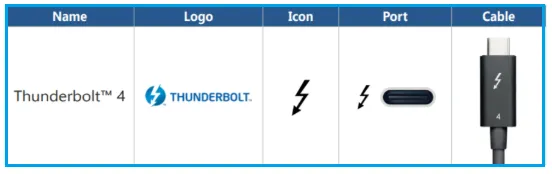
Thunderbolt 4 has these requirements:
- One universal computer port
- Universal 40 Gb/s cables up to 2 meters in length.
- Supports two 4K displays (instead of just one) or a single 8K display.
- Accessories with four Thunderbolt ports
- Required PC charging on at least one computer port
- Required PC wake from sleep when connected to a Thunderbolt dock
- Thunderbolt networking (10 Gbps ethernet connection between PCs)
- Mandatory certification for all shipping computers, accessories, and cables
- Cable testing and cable quality audits for Thunderbolt cable manufacturers
- Required Intel VT-d based DMA protection
Benefits or Advantages of Thunderbolt 4
- It supports docks with up to four Thunderbolt ports and universal cables up to 2 meters in length.
- It’s compatible with the vast ecosystem of PCs and accessories that comply with Thunderbolt 3.
- It offers increased performance compared to previous Thunderbolt versions.
- It adheres to the USB4 Specification, transmitting data, video, and power through a single USB Type-C port at 40 Gbps.
- It enables power savings by allowing users to wake their computers from sleep simply by touching a keyboard or mouse when connected to a dock.
- Laptops with Thunderbolt 4 can accept input power up to 100 Watts and can supply 15 Watts externally.
Limitations or Disadvantages of Thunderbolt 4
- It supports fewer devices in daisy-chaining (around 6) compared to USB (around 127) and Firewire (around 63).
- Devices supporting Thunderbolt 4 tend to be more expensive than USB alternatives.
- Laptop vendors must support Intel VT-d based DMA (direct memory access). VT-d is a security measure that protects the system by preventing DMA to pre-assigned domains. This can potentially create issues with manufacturers like AMD.
Summary
Thunderbolt 4 delivers a versatile connectivity solution for laptops, workstations, docking stations, and high performance peripherals by combining fast data transfer with display and charging capabilities. Its interface advantages improve productivity and expandability, although hardware compatibility, certified accessories, and overall system cost should be evaluated before adoption.