Thunderbolt 1 vs Thunderbolt 2 vs Thunderbolt 3: Key Differences
Advertisement
This article delves into the world of Thunderbolt interfaces, comparing Thunderbolt 1, Thunderbolt 2, and Thunderbolt 3. Developed by Intel and Apple, Thunderbolt serves as a versatile hardware interface, connecting external peripherals to computers and laptops. It’s designed to be a successor to the older Firewire interface. Let’s explore the key differences between these three versions.
Introduction:
- Thunderbolt is a hardware interface developed by Intel & Apple to connect external peripherals to computers/laptops.
- It supersedes the Firewire interface.
- There are three main versions: Thunderbolt 1, Thunderbolt 2, and Thunderbolt 3.
- These versions vary in data rates and supported cable lengths.
- Thunderbolt 1 and 2 support up to 20 Gbps, while Thunderbolt 3 doubles that to 40 Gbps.
- Maximum cable length can reach up to 100 meters (300 feet).
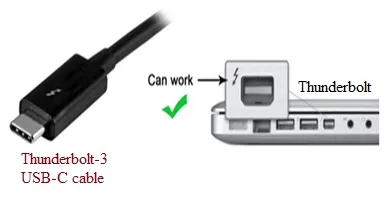
The Thunderbolt interface cleverly combines PCIe and DisplayPort (DP) functionality, all while providing DC power through a single cable. It operates on an 18V bus, drawing approximately 550 mA of current.
Thunderbolt 1
Introduced in 2011, Thunderbolt 1 boasts the following features:
- Release Year: 2011.
- Connector: Uses a Mini DisplayPort (MDP) connector.
- Data Rate: Employs two channels, each supporting 10 Gbps, resulting in a total of 20 Gbps.
- Protocols: Utilizes 4 x PCI Express 2.0 and DisplayPort 1.1a.
Thunderbolt 2
The Thunderbolt 2 interface, released in 2013, offers these characteristics:
- Release Year: 2013.
- Connector: Also uses the Mini DisplayPort (MDP) connector.
- Data Rate: Supports a bit rate of 20 Gbps.
- Protocols: Uses 4 x PCI Express 2.0 and DisplayPort 1.2.
Thunderbolt 3
Here’s what makes Thunderbolt 3 stand out:
- Release Year: 2015.
- Connector: Utilizes a USB-C connector.
- Data Rate: Supports a bit rate of 40 Gbps.
- Protocols: Incorporates 4 x PCI Express 3.0, DisplayPort 1.2, HDMI 2, and USB 3.1 Gen 2.
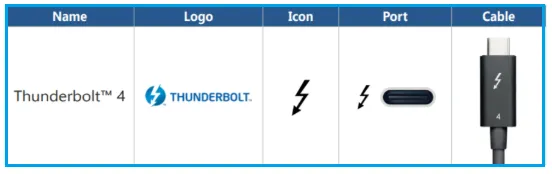
Thunderbolt 4 Interface